Integrations
Connect your workflow with powerful third-party tools to save data, generate AI responses, or track ad performance.
Google Sheets
The Sheet Operations block allows you to save user data directly into a Google Spreadsheet. This is perfect for collecting leads, feedback, or order details.
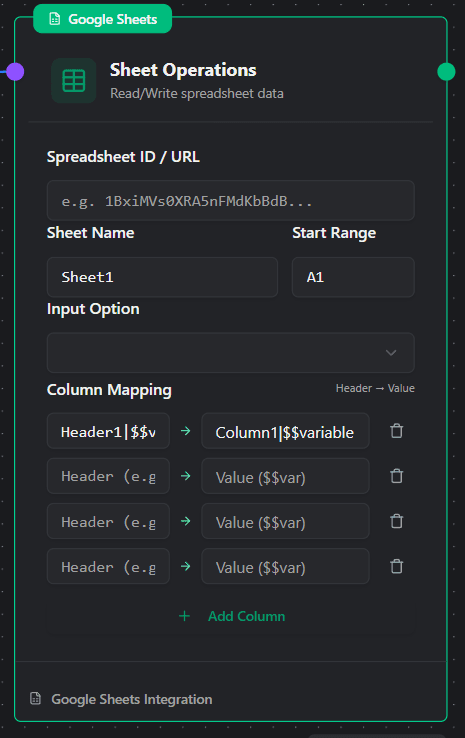
Configuration
- Spreadsheet URL: Simply paste the full URL (link) of your Google Sheet here. The system will use this to find your file.
- Sheet Name: Enter the exact name of the tab you want to write to (e.g.,
Sheet1). - Start Range: Defines where the system starts looking for empty space. usually
A1. - Column Mapping: This determines what data goes into which column.
- Left Field (Header): The name of the column header in your sheet (e.g., “Name”, “Phone”).
- Right Field (Value): The data to insert. You should use variables here (e.g.,
$$recipientNameor$$user_answer).
Note: The system will not overwrite existing data. It looks for the next empty row after your defined “Start Range” to append the new entry.
AI Handler (Experimental)
Use Artificial Intelligence to generate dynamic responses based on user queries.
Experimental Feature: The AI Handler is currently in beta. Responses may vary in speed and accuracy. Please test thoroughly before using in a live environment.
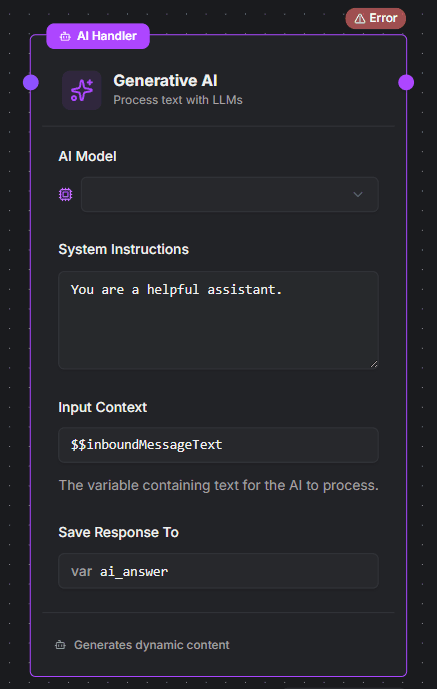
Configuration
- AI Service & Model: Select the provider and intelligence model (e.g.,
llama-3.1-8b-instant). - System Instructions: This is the “brain” of the AI. Tell it who it is and how to behave (e.g., “You are a helpful support assistant. Keep answers short.”).
- User Query: The text the AI should analyze. Usually, this is the
$$inboundMessageText. - Answer Variable: The AI’s response will be saved in this variable (e.g.,
ai_answer), which you can then send to the user in a Message block.
Meta Conversion API
Send conversion events directly to Meta (Facebook) to track the effectiveness of your Click-to-WhatsApp ads.
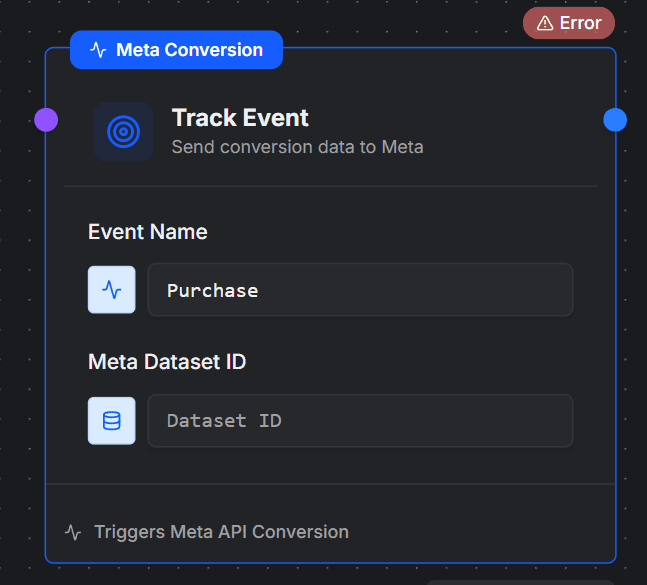
Configuration
- Event Name: The type of action to track (e.g.,
Purchase,Lead,Subscribe). - Dataset ID: This is the specific tracking ID associated with your WhatsApp Business Account’s underlying Meta dataset.
Important: Finding the correct Dataset ID can be difficult. It is not your Pixel ID. It is a specific ID linked internally to your connected WhatsApp account.
We are working on a feature to auto-select this for you in the future. For now, please ensure you have the correct ID from your Meta Business Manager before configuring this block.