WhatsApp Channel
Aeternitychat connects to WhatsApp through the WhatsApp Business API (Cloud API), allowing you to send and receive messages at scale with automation, templates, and team collaboration.
WhatsApp Configuration Page
Navigate to Channels > WhatsApp to see your connected phone numbers. The configuration page shows a table with the following details for each number:
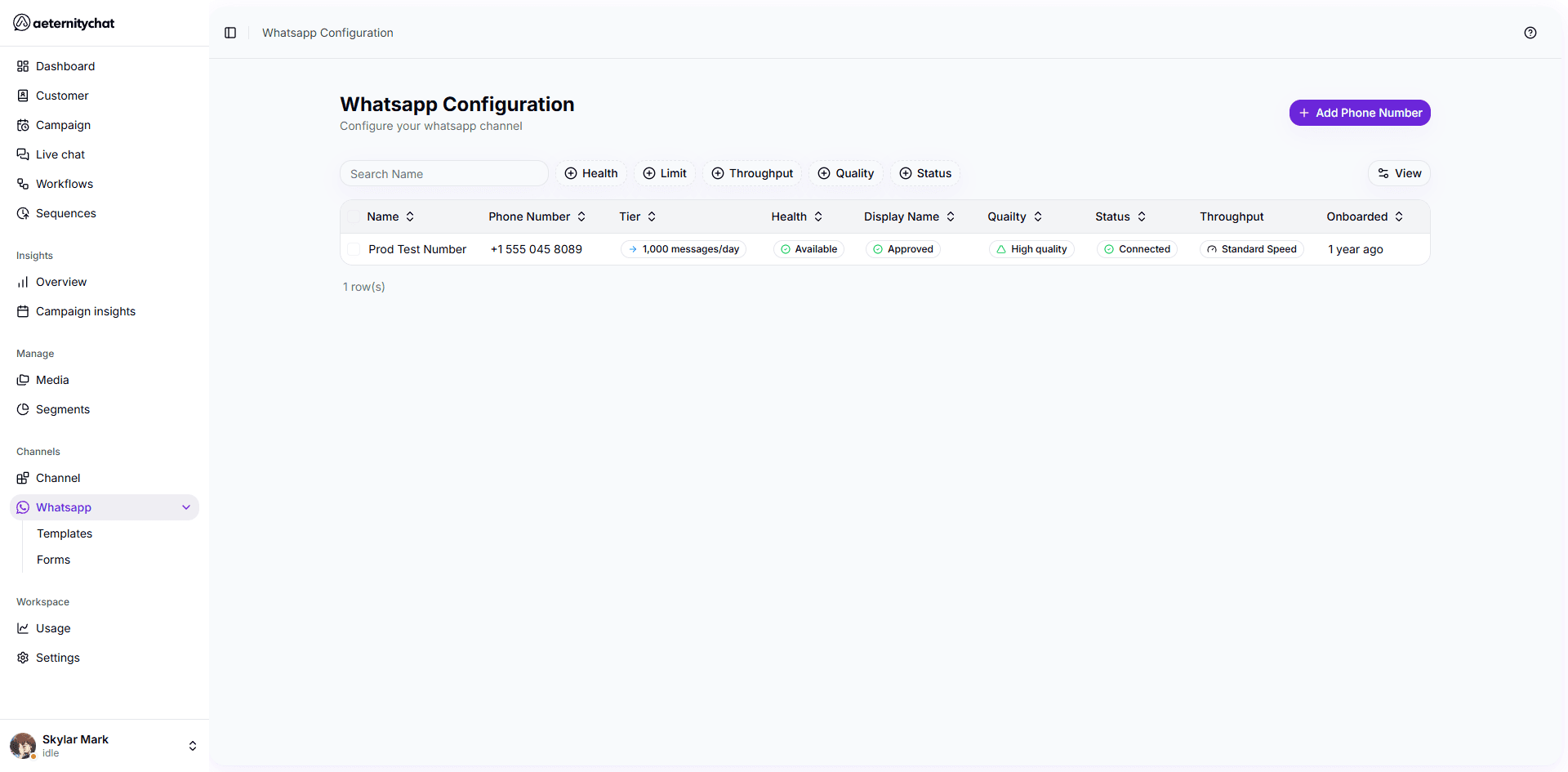
| Column | Description |
|---|---|
| Name | The internal name of your phone number |
| Phone Number | Your connected WhatsApp number |
| Tier | Your messaging limit (e.g., 1,000 messages/day) |
| Health | Whether the number is available or flagged |
| Display Name | The business name shown to customers (approved by Meta) |
| Quality | Quality rating — High, Medium, or Low |
| Status | Connection status — Connected or Disconnected |
| Throughput | Messaging speed — Standard or High |
| Onboarded | When the number was connected |
You can search numbers by name and filter by Health, Limit, Throughput, Quality, or Status using the filter buttons above the table.
Key Concepts
WhatsApp Business Account (WABA)
A WABA is your business identity on WhatsApp, created through Meta Business. It holds your phone numbers, message templates, and settings.
24-Hour Messaging Window
When a customer messages you, a 24-hour session opens. During this window, you can send free-form messages. After it closes, you must use an approved message template to restart the conversation.
Message Templates
Templates are pre-approved message formats required for sending the first message to a customer or re-engaging after the 24-hour window. See Message Templates.
What’s in This Section
- Connect Your Number — Set up a new WhatsApp phone number
- Message Templates — Create and manage approved templates
- WhatsApp Forms — Build interactive forms
- Phone Health & Limits — Understand quality ratings and messaging tiers
- Best Practices — Tips for maintaining good standing