Dashboard
The Dashboard is your workspace overview — the first thing you see when you log in. It shows key metrics, recent activity, and the status of your WhatsApp channel.
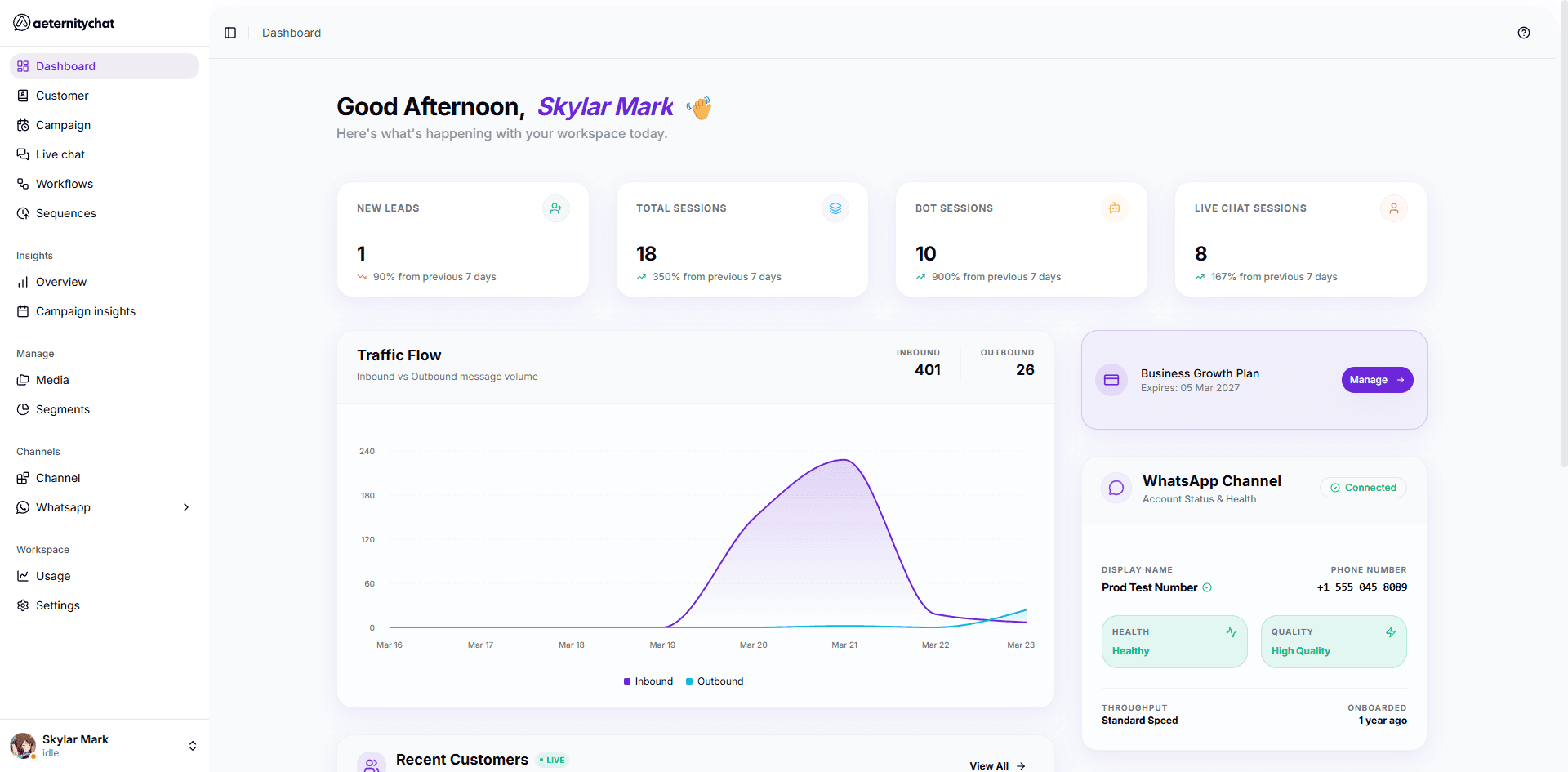
Quick Stats
Four cards at the top show your key metrics for the past 7 days:
| Card | Description |
|---|---|
| New Leads | New contacts created in the period |
| Total Sessions | All conversation sessions (bot + live) |
| Bot Sessions | Conversations handled by workflows |
| Live Chat Sessions | Conversations handled by agents |
Each card shows the current count and the percentage change compared to the previous period.
Traffic Flow
A chart showing your Inbound (messages received) vs Outbound (messages sent) message volume over the past week. This helps you understand your messaging patterns and peak days.
Recent Customers
A live list of your most recent customer interactions, showing:
- Customer name and avatar
- Time of last interaction
- Channel (WhatsApp)
- Phone number
Click View All to go to the full Customers page.
Plan Information
Shows your current subscription plan, expiration date, and a link to manage your plan in Settings.
WhatsApp Channel Status
A summary of your primary WhatsApp connection:
| Field | Description |
|---|---|
| Display Name | Your business name on WhatsApp |
| Phone Number | Your connected number |
| Health | Number health status (Healthy, Flagged, etc.) |
| Quality | Messaging quality rating |
| Throughput | Current messaging speed |
| Onboarded | How long ago the number was connected |
| Connection Status | Whether the channel is connected |
The Dashboard updates in real time. Keep it open to monitor your workspace activity throughout the day.