Customers
The Customers section is your contact management hub. Every person who messages your WhatsApp number becomes a customer in Aeternitychat, and you can organize them with tags, custom attributes, and segments.
How Contacts Are Created
Contacts are created automatically when:
- A customer sends a message to your connected WhatsApp number
- You import contacts via CSV
Each contact stores their name, phone number, messaging channel, tags, attributes, and conversation history.
Customers Page
Navigate to Customer in the sidebar to see all your contacts in a searchable table:
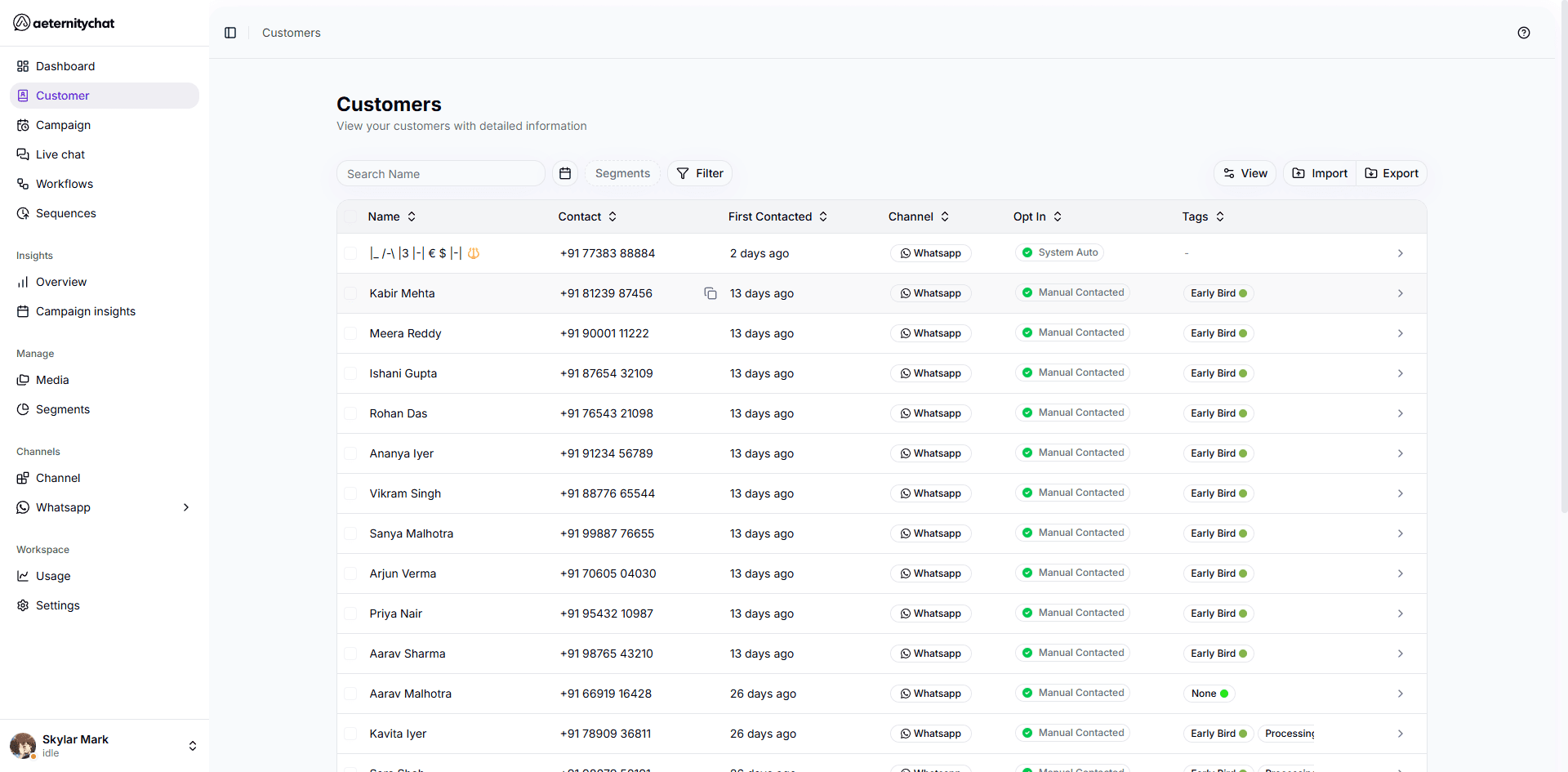
| Column | Description |
|---|---|
| Name | Customer’s name (auto-detected or manually set) |
| Contact | Phone number or channel identifier |
| First Contacted | When the customer first reached out |
| Channel | The messaging platform (e.g., WhatsApp) |
| Opt In | Whether the customer has opted in to messages |
| Tags | Tags applied to this contact |
Key Features
- Managing Contacts — Search, filter, and edit your contact list
- Import Contacts — Bulk import via CSV
- Tags — Organize contacts with labels
- Custom Attributes — Add custom fields to contact profiles
- Segments — Create dynamic groups based on filter rules
- Contact Profile — View individual contact details
Contacts are shared across your entire workspace. All team members with the right permissions can view and manage customers.