Insights
The Insights section provides analytics dashboards to help you understand your messaging performance, customer engagement, and workspace usage.
Accessing Insights
Navigate to Insights > Overview in the sidebar.
Overview Dashboard
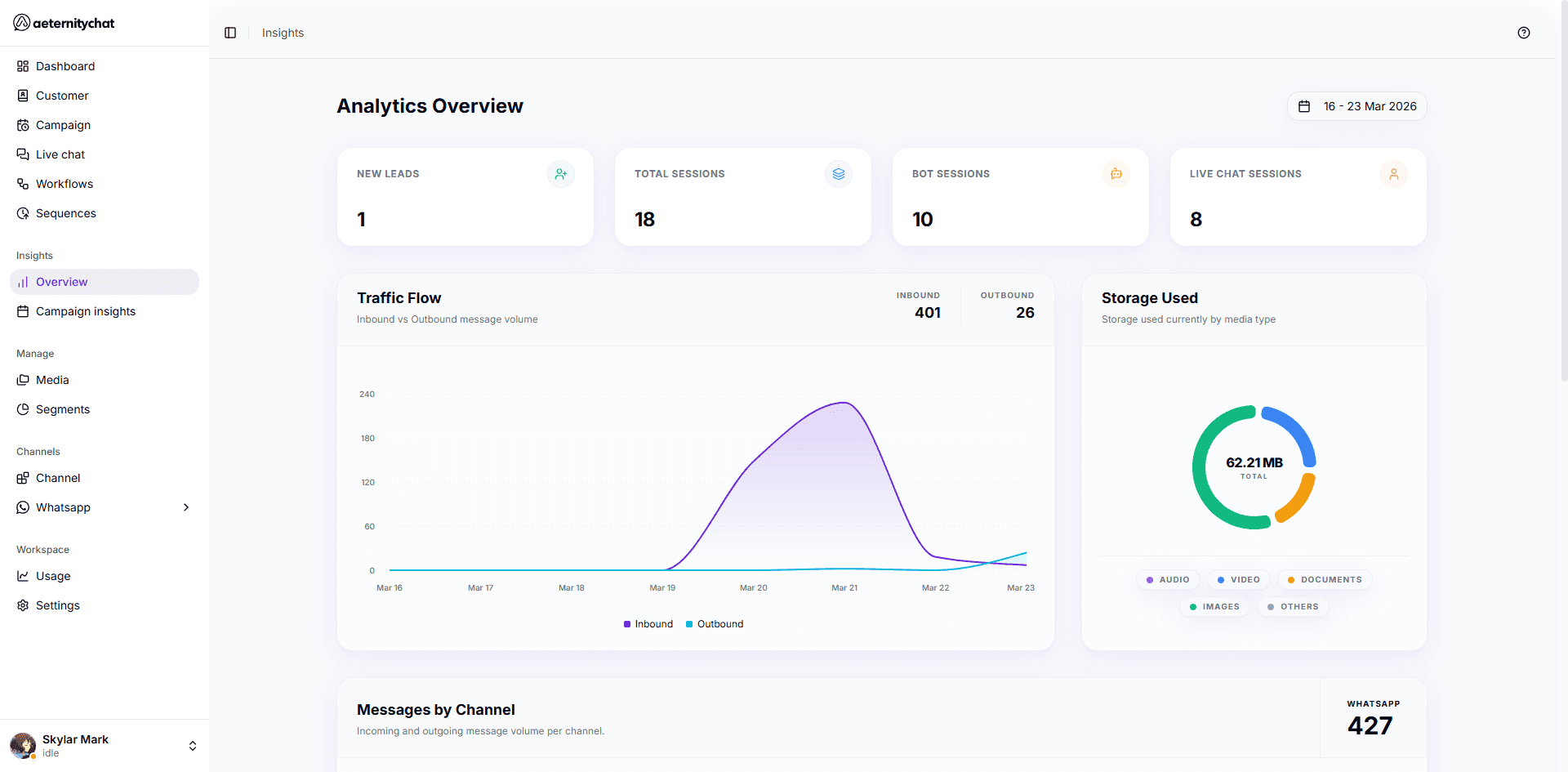
The main analytics dashboard shows:
Session Metrics
- Total Sessions — All conversation sessions over time
- Sessions by Initiator — Breakdown of user-initiated vs business-initiated conversations
- Traffic by Channel — Message volume per channel (WhatsApp)
Broadcast Highlights
- Campaign performance summary
- Delivery rates across recent campaigns
Storage Usage
- Current storage consumption
- Media and file usage
Date Range Filtering
Use the date range picker at the top to filter all analytics by a specific time period. This lets you compare performance across different windows.
Analytics Sections
| Section | What It Shows |
|---|---|
| Campaign Insights | Individual campaign performance and delivery metrics |
| Live Chat Insights | Conversation handling and agent performance |
Analytics data may take a few minutes to update after messages are sent or received. For real-time conversation monitoring, use the Dashboard.